

Options flow scanner
An options flow scanner ranks live options prints so unusual size surfaces on its own instead of being hunted for. Realtime Options scans US stock and ETF options for sweeps, blocks and outsized premium, then lets you check each hit against strike-level premium heat, open interest and gamma exposure, because a big print on its own is noise until you know where it sits in the chain.
- Scans
- US stock and ETF options prints
- Surfaces
- Sweeps, blocks and unusual premium with chain context
- Alerts
- Saved rules with in-app matches and optional email
- Price
- $29/month. Free scanners show delayed data


Why free options flow scanners disappoint
Free scanners fail on data, not on features. They surface prints on a 15-minute delay, which is long enough for the move to be over, and they show the print without the chain context that makes it readable.
Read the supporting context
The second failure is more expensive: a scanner that shows you a $2m call sweep and nothing else invites you to read it as bullish. It might be the long leg of a spread, a hedge against short stock, or a roll of an expiring position. Without open interest and the rest of the strike, you cannot tell.
What a print needs before it means anything
Every hit is worth four checks, and all four are on the same screen here rather than across four tabs.
- Aggression: was premium paid at the ask, at the mid, or hit into the bid?
- Opening or closing: does open interest at that strike support a new position?
- Concentration: is this the only print at the strike, or the fifth today?
- Dealer position: does the strike sit where gamma exposure flips, which changes how the underlying behaves near it?
What can the advanced options-flow filters narrow?
Advanced Flow Filters narrow the qualified table by symbol and direction, premium, contract count, option price, expiry, exact days to expiry, volume, open interest, sector, execution, underlying price and trade labels.
Read the supporting context
Changes apply to the table immediately, and saved filters restore on later logins. The filter result remains an observed-data subset: passing a rule does not prove who traded, whether a position opened or closed, or which way the underlying will move.
- Symbols and direction: ticker search, option type, sentiment, moneyness and saved-symbol scope.
- Premium and contracts: minimum and maximum premium, print size and option price.
- Expiry profile: expiry windows, contract profiles and exact days to expiry.
- Participation: exact volume and open-interest bounds plus preset range groups.
- Market context: sector, execution side, exact-price execution and underlying-price ranges.
- Trade labels: hide sweeps, blocks or unusual prints, or restrict the table to aggressive prints.
Save unusual-activity conditions as alerts
Pro users can save a rule for any symbol or a specific ticker and combine up to eight conditions covering premium, size, volume, open interest, price, expiry, execution, sentiment and trade type.
Read the supporting context
Matches from the qualified realtime feed appear in the notification bell. Optional email is deliberately quieter, with hourly, four-hour or daily cooldowns and a separate per-rule cap. A match describes observed data conditions only; it does not reveal participant intent or create a trade recommendation.
Scanner plus the rest of the workflow
The scanner is one of ten dashboards, and it is deliberately not the first one people open. The usual order is market-wide first, then narrowing.
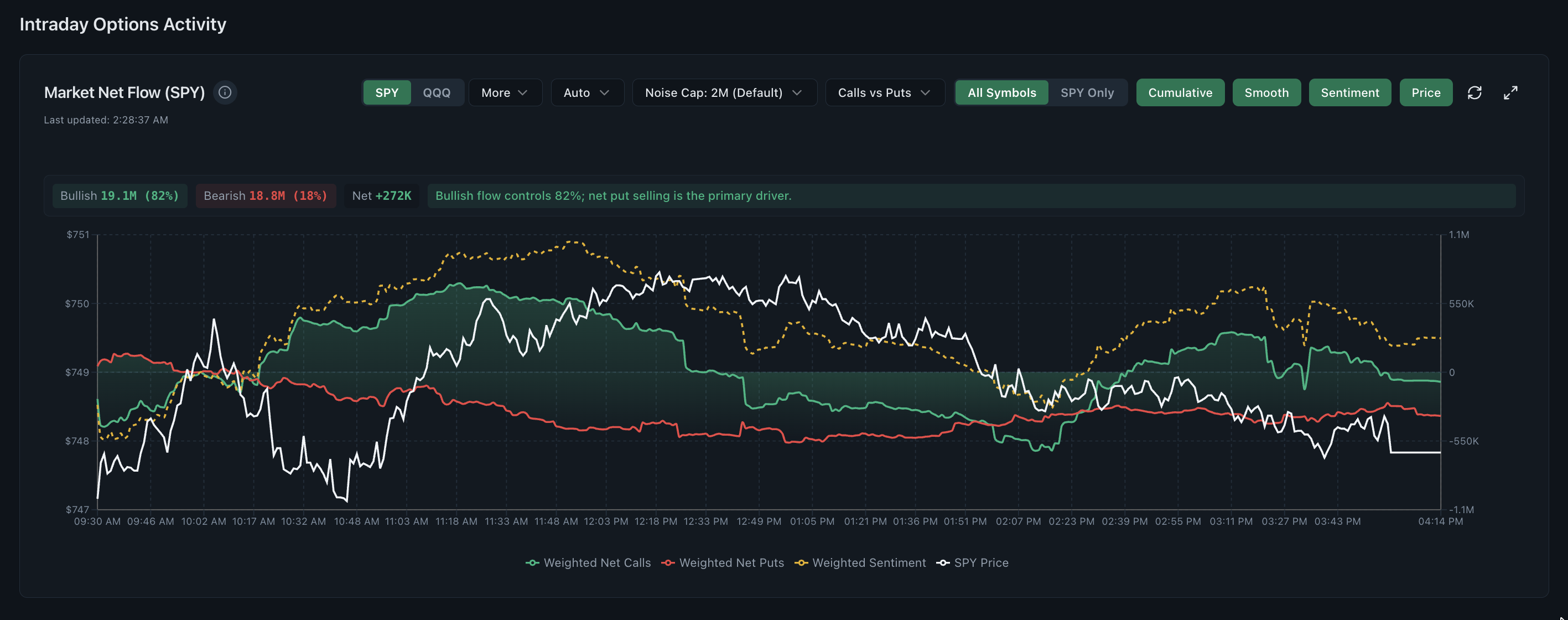
- Weighted net flow for whether the whole market is leaning calls or puts.
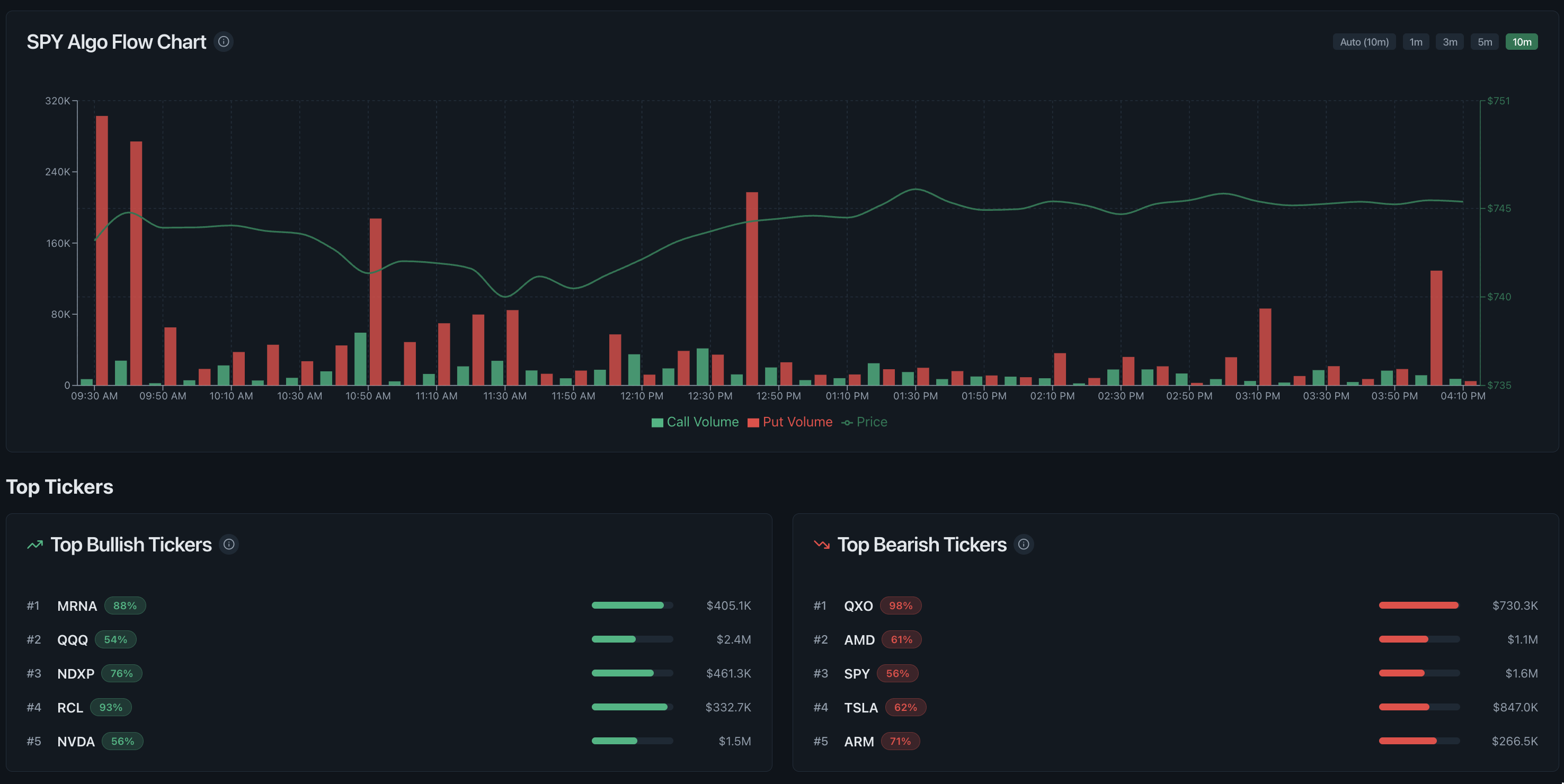
- Flow map to rank which tickers carry that lean.
- Scanner to find the individual prints inside the leading tickers.
- Heat grid and open interest to see whether those prints cluster on one strike.
- 0DTE and GEX if the expiry is same-day.
Common questions
Is there a free options flow scanner here?
The 3-day trial includes the scanner on 15-minute delayed data with no credit card. After that it is part of the $29 per month plan. There is no permanently free tier, because the underlying market data is licensed and not free to serve.
What does the scanner return?
It returns ranked options activity with contract, premium, strike, expiry, open-interest and quote-location context for further research.
Can I scan historical flow?
Yes. Historical options flow is included for pattern research, so you can look at how a strike behaved in the days before an earnings move rather than only watching it live.
Can I save advanced options-flow filters?
Yes. Changes narrow the qualified table immediately, and you can save the filter workspace so the same settings restore on later logins.
How are saved unusual-activity alerts delivered?
Pro alert matches appear in the in-app notification bell. Email is optional and uses a separate hourly, four-hour or daily cooldown plus a per-rule daily cap, so it remains quieter than in-app delivery.